Real-time help for SQL interviews
Best Interview Copilot for SQL
Your SQL interview copilot — JOINs, CTEs, and window functions with query rewrites handled fast.
Find all employees e who earn more than their direct manager m in the Employee table.
Snap the SQL problem instantly
Screenshot or drag in the SQL interview problem. You get a working query with JOINs, grouping, or window logic explained in plain terms.
Try it freeHandle follow-ups with one click
If they ask you to optimize, reshape the query with a CTE, or tighten a HAVING clause, quick actions help you answer without pausing to type a long follow-up.
Get started freeHidden even when you share your screen
On a shared SQL editor, DataGrip, or a normal call, Stealth Mode keeps the copilot off the region you are sharing.
Learn about stealth modeUndetectable design
Stay hidden during live interviews
Context-aware answers
It listens to the full conversation, not just what is on screen, so every suggestion stays current.
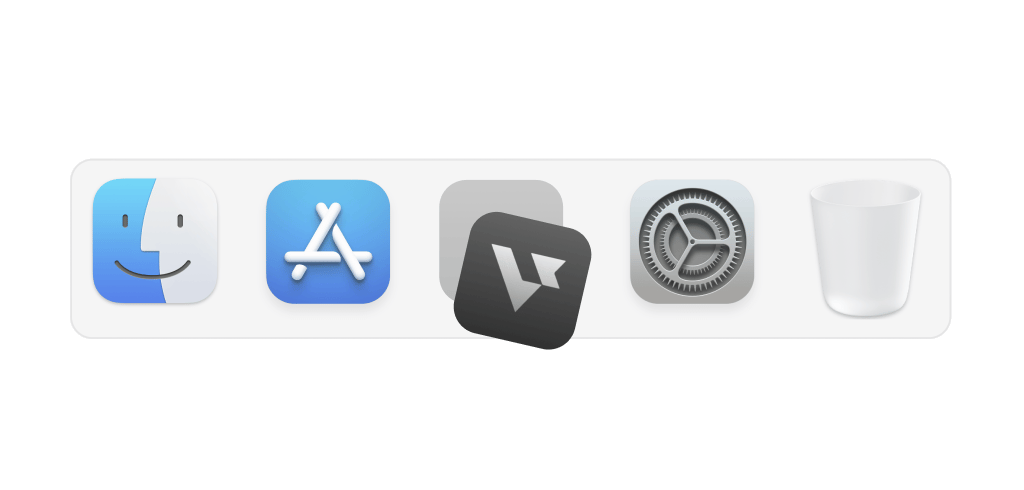
Hide on dock
Stay hidden from the dock so no one notices it
Transparent UI
Access the app without interfering with meeting screens
Smart hotkeys
Use shortcuts to activate support instantly and effortlessly
Leetcode style interview
How to use AI Coding Copilot
Easy 3-step to crack any live coding challenges
Start now01
Start interviews
Launch coding copilot and start your interview session
02
Capture & solve
Snap problems with a hotkey, plug-in, or screenshot for an automatic solution
03
Easy follow-ups
Optimize code, handle edge cases, or simplify logic with a simple click
Interview made easy
Explore specialized tools for every interview stage


Answer
AI Interview Copilot
Instant, personalized, actionable support during live interviews
Explore the AI Interview CopilotFAQ
Common questions about the best interview copilot for SQL
What is the best interview copilot for SQL?
The best interview copilot for SQL gives you working queries — JOINs, window functions, CTEs — updates when the interviewer asks for optimization or a different shape, and stays hidden during screen share. Verve AI is built around that flow: capture the problem, get runnable SQL with the logic explained, and handle rewrites in one click.
Is Verve AI safe to use while screen sharing?
What types of SQL interview questions does Verve AI handle?
JOINs, window functions, CTEs, aggregates, HAVING, subqueries, and basic performance discussion. Analyst, backend, and data-engineering style interviews are typical use cases.
Can Verve AI help with window function questions?
Yes. Ranking, running totals, offsets, and partition logic are supported with queries you can paste and walk through.
What happens when the interviewer asks me to optimize my query?
Verve AI tracks the thread: indexes, JOIN rewrites, CTE refactors, and readability asks all produce updated SQL.
Does Verve AI work on shared SQL editors during an interview?
Yes. You type in the shared editor as usual; Verve AI sits beside that flow. Stealth Mode limits what appears on the shared view.
Will the interviewer know I'm using Verve AI?
Stealth Mode is designed so the copilot is not part of typical shared surfaces; your query and the call stay visible to others. Learn more about stealth mode