Copilot pour UI/UX designer
Le meilleur copilote pour les entretiens de design UI/UX
Répondez mieux sur portfolio, whiteboard et critique produit sans exposer le copilote à l’écran.
Fonctionnement
Support pour les questions d’entretien en design UI/UX
Détecte les questions behavioral
Réponses ancrées dans votre expérience pour rounds behavioral design.
Résout les problèmes à l’écran
Vous aide sur flows, wireframes et critique avec des réponses rapides et claires.
Structure cas et follow-ups
Couvre portfolio et cas produit quand l’entretien devient plus exigeant.
Stealth Mode
Stealth Mode : ce qu’il couvre, et ce qu’il ne couvre pas
Hors de l’écran partagé
Dans l’application de bureau, Verve AI est conçu pour rester hors du partage d’une fenêtre ou d’un onglet, et de l’écran entier depuis l’application Zoom ou Teams. Un partage de l’écran entier depuis une réunion dans le navigateur peut l’afficher : testez avant l’entretien.
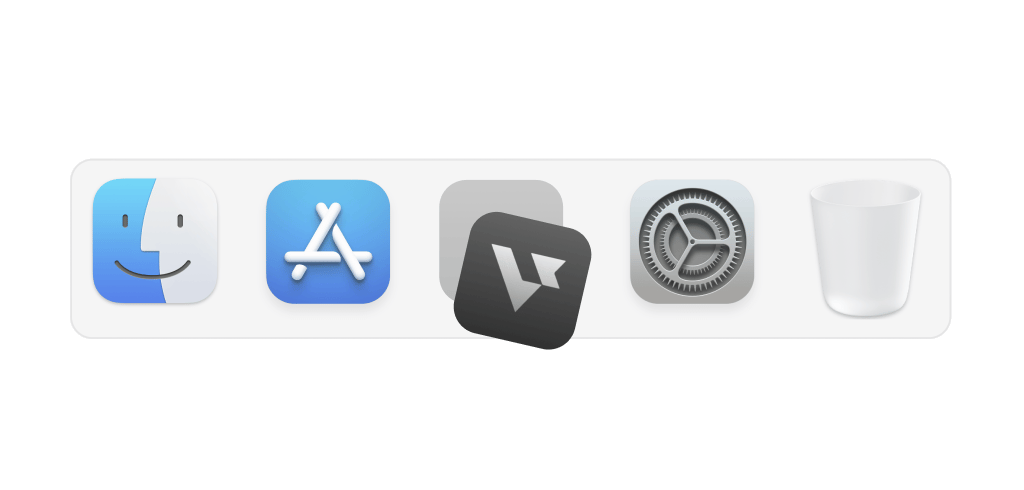
Masqué dans le Dock
L’application de bureau peut retirer son icône du Dock (macOS) ou de la barre des tâches (Windows).
Interface transparente
Le copilote s’affiche dans une fenêtre transparente posée sur votre réunion.
Raccourcis de capture
Cmd/Ctrl + Maj + S pour une zone, Cmd/Ctrl + Maj + C pour l’écran entier.

Ancré dans la vraie préparation
Points clés pour les entretiens de design UI/UX
Une couverture ciblée des thèmes qui reviennent le plus souvent dans ce type de round.
Portfolio
Points et cadres qui reviennent souvent dans ce type d’entretien.
Systèmes et patterns
Points et cadres qui reviennent souvent dans ce type d’entretien.
Critique et collaboration
Points et cadres qui reviennent souvent dans ce type d’entretien.
Outils
Points et cadres qui reviennent souvent dans ce type d’entretien.










Prêt pour les entretiens vidéo
Bureau, navigateur ou téléphone
L’application de bureau (Mac et Windows) fonctionne avec n’importe quelle application. La version navigateur (Chrome, Edge ou Opera) sert aux réunions ouvertes dans le navigateur, et la version mobile aux entretiens téléphoniques.
CommencerDes entretiens simplifiés
Explorez des outils spécialisés pour chaque étape de l’entretien


Réponse
AI Interview Copilot
Écoute l’entretien en direct et vous suggère des réponses que vous seul voyez, à partir de vos documents activés
Découvrir le Copilot d’entretien IACoding Interview Copilot
Capture l’énoncé à l’écran et propose une solution dans plus de 21 langages de programmation
En savoir plusOnline Assessment Copilot
Vous aide sur les tests en ligne chronométrés en lisant la question affichée à l’écran
En savoir plusFAQ
Questions sur Copilot pour UI/UX designer
Qu’est-ce qui rend un copilote utile pour les entretiens de design UI/UX ?
Il doit suivre la conversation en direct, vous aider sur portfolio, whiteboard et critique produit et proposer des réponses qui sonnent comme votre vraie expérience.
Que couvre-t-il pendant un entretien de design UI/UX ?
Il couvre rounds behavioral design, flows, wireframes et critique et portfolio et cas produit dans une seule et même session.
Sera-t-il visible pendant le partage d’écran ?
Non. Le mode furtif garde le copilote visible uniquement pour vous pendant l’entretien. En savoir plus
Verve AI sera-t-il visible lors du partage d'écran de mon entretien de conception ?
Non. Le mode furtif permet au copilote d'être visible uniquement par vous : les intervieweurs voient votre travail, pas la superposition, pendant que vous présentez dans Figma, Miro ou tout autre écran partagé. Apprendre encore plus
Comment Verve AI personnalise-t-il les réponses à mon expérience en conception ?
Téléchargez votre CV et il ancrera les histoires de portfolio dans votre travail de cas réel (utilisateurs spécifiques, contraintes et résultats) afin que les procédures pas à pas semblent naturelles et méritées plutôt que répétées.
Puis-je l'utiliser pour préparer les entretiens de conception avant le tour en direct ?
Oui. Entraînez-vous aux récits de portfolio, aux cadres de critique et aux questions d'entretien comportemental en mode pratique d'entretien IA avant votre entretien, puis exécutez le copilote en direct le jour même.
Existe-t-il un niveau gratuit ?
Oui. Verve AI comprend un plan gratuit pour toujours : essayez-le lors de votre prochaine boucle de conception et mettez à niveau lorsque vous êtes prêt.

Donnez-vous un avantage décisif en entretien
Commencer gratuitementApplication de bureau pour Mac et Windows, version navigateur et version mobile