Design interviews

UI/UX designer interview copilot

Best UI/UX designer interview copilot

Ace the UI/UX designer interview at FAANG and top tech—real-time portfolio, exercise, and critique help that stays off your shared screen

ダウンロード済み

インストール方法 Verve AI

1

ダウンロード

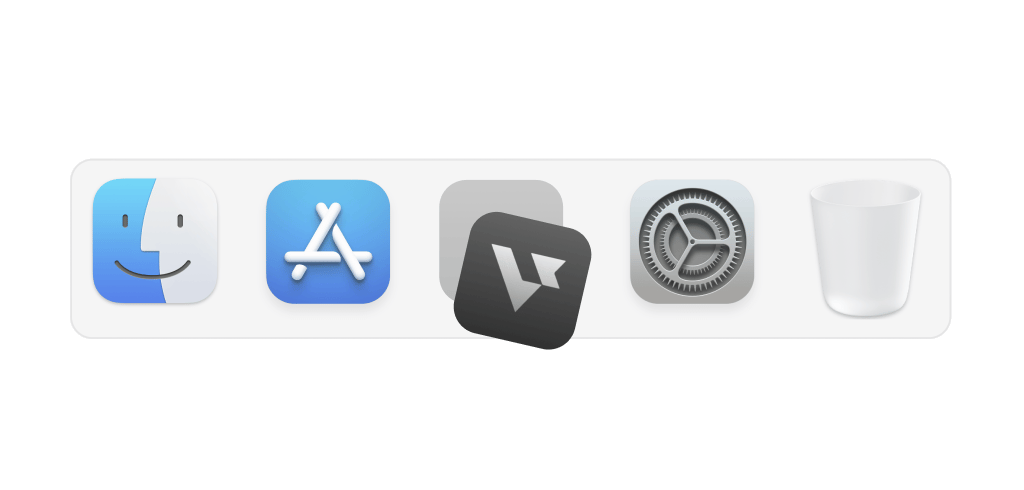
Verve AI-2.2.6-universal.dmgダウンロードフォルダから開きます。

2
Verve AI
アプリケーション

Verve AIのアイコンをアプリケーションフォルダへドラッグします。

3

アプリ

時計
Verve AI
連絡先

Verve AIアプリケーションから開きます。

問題がありますか?再ダウンロード

ソフトウェアエンジニア面接
Alex(面接官)
あなた

仕組み

Support all UI/UX designer interview questions

Behavioral Question
聞き取り中

Listen to detect behavioral questions

Resume-grounded STAR answers for big tech design behavioral rounds

Live Design Exercise
sketching
nav bar
hero
CTA

Snap & solve on-screen problems

Flows, wireframes, and critique questions the way top design interviews probe them

Case Study
presenting
Discovery
8 interviews
Design
14 iterations
Outcome
+34% conversion

Analyze and crack design cases

Portfolio and product case reasoning for FAANG UI/UX design interviews

見えない設計

ライブ面接中も気づかれずに使える

自分にだけ表示
他の人には非表示

相手には見えない

画面全体を共有していても完全に見えません

Dock — hidden from presenter deck

Dockにも表示しない

Dockからも隠れるので気づかれません

透過UI

会議画面を邪魔せずにアプリを使えます

esc
F1
F2
F3
F4
F5
F6
F7
F8
`
1
2
3
4
5
6
7
8
9
0
tab
Q
W
E
R
T
Y
U
I
O
P
caps
A
S
D
F
G
H
J
K
L
Z
X
C
V
B
N
M

スマートホットキー

ショートカットで即座にサポートを呼び出せます

Grounded in real prep

Top materials design candidates use

The core materials top candidates use to prepare for UI/UX design interviews

Explore all domains

ポートフォリオ

この職種で頻出する論点を面接向けに整理します。

パターンとシステム

この職種で頻出する論点を面接向けに整理します。

批評と協働

この職種で頻出する論点を面接向けに整理します。

ツール運用

この職種で頻出する論点を面接向けに整理します。

Zoom
Zoom
Online interviews
Google Meet
Google Meet
Online interviews
Microsoft Teams
Microsoft Teams
Online interviews
Amazon Chime
Amazon Chime
Virtual meeting
Webex
Webex
Virtual meetings
FaceTime
FaceTime
Virtual meetings
Zoom
Zoom
Online interviews
Google Meet
Google Meet
Online interviews
Microsoft Teams
Microsoft Teams
Online interviews
Amazon Chime
Amazon Chime
Virtual meeting
Webex
Webex
Virtual meetings
FaceTime
FaceTime
Virtual meetings
CoderPad
CoderPad
Live coding
HackerRank
HackerRank
Coding challenges
LeetCode
LeetCode
Algorithm rounds
CodeSignal
CodeSignal
Technical screen
Codility
Codility
Coding tests
HackerEarth
HackerEarth
Dev challenges
CoderPad
CoderPad
Live coding
HackerRank
HackerRank
Coding challenges
LeetCode
LeetCode
Algorithm rounds
CodeSignal
CodeSignal
Technical screen
Codility
Codility
Coding tests
HackerEarth
HackerEarth
Dev challenges

Supported platforms

Works on any meeting or coding platform

Real-time support on Zoom, Google Meet, and Teams — plus coding dashboards like CoderPad, HackerRank, and CodeSignal

Get Started

Interview made easy

Explore specialized tools for every interview stage

Online Assessment Copilot

Solve on-screen problems and pass any online tests

Learn more
two-sum

nums, target → two indices with sum = target.

class Solution:
def twoSum(self, nums, target):
# …
コパイロット
画面領域を取得中…

Coding Interview Copilot

Scan the screen and get instant solutions for any coding problem

Learn more
録画中
録画中

質問 2

あなた

HireVue Copilot

Live assistance to pass video interviews and one-way interviews

Learn more

FAQ

Questions about UI/UX Designer Interview Copilot?

What is the best UI/UX designer interview copilot?

The best UI/UX designer interview copilot follows portfolio deep dives and live exercises, then suggests structure you can speak naturally—without replacing your taste. Verve AI stays discreet while you share Figma, Miro, or slides.

Can it help with whiteboard or app-redesign interview questions?

Does it help with UX critique interviews?

Will Verve AI be visible during my design interview screen share?

How does Verve AI personalize answers to my design background?

Can I use it to prepare for design interviews before the live round?

Is there a free tier?

Give you an unfair advantage in interviews

Get Started For Free

Available on Mac, Windows and iPhone

Verve AI interview support preview